
Overview
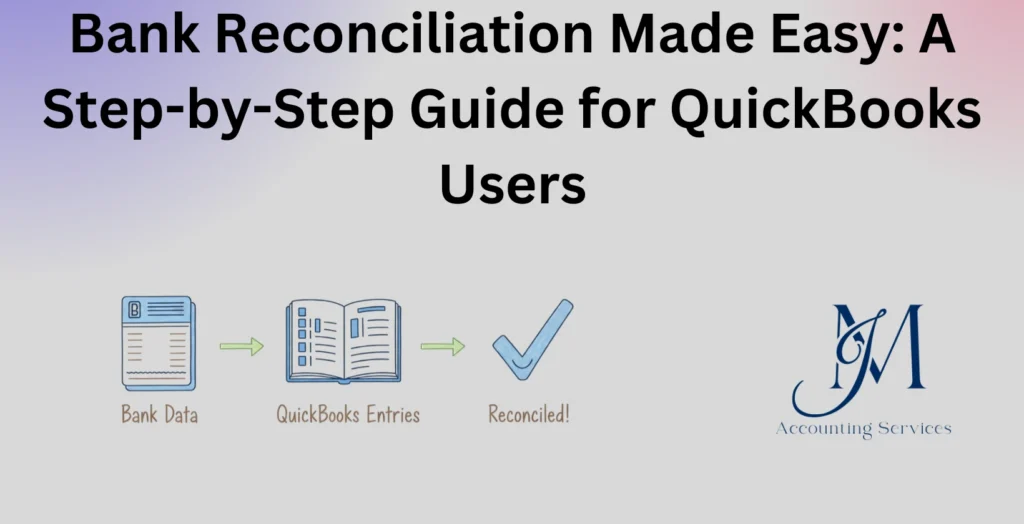
- Bank reconciliation in QuickBooks involves comparing your recorded transactions with your bank statement to ensure accuracy and reliable financial reporting.
- The process includes entering the statement ending balance and date, then matching each transaction in QuickBooks with those on the bank statement.
- Any unmatched or missing transactions—such as bank fees or deposits—must be recorded and discrepancies investigated to maintain accurate books.
- Once all transactions are matched, users finalize the reconciliation, review reports, and confirm that the difference is zero before closing the process.
- JMAccountingServices provides a step-by-step guide for QuickBooks users to simplify bank reconciliation, improve accuracy, and maintain strong financial control.
Bank Reconciliation Made Easy: A Step-by-Step Guide for QuickBooks Users
Bank reconciliation is a fundamental accounting process that ensures financial accuracy by comparing internal records with bank statements. This guide explains how QuickBooks users can perform reconciliation efficiently while maintaining compliance, reducing errors, and improving financial visibility. Businesses, such as startups and e-commerce companies, rely on reconciliation to detect discrepancies, prevent fraud, and maintain audit-ready books. Industry insights, including reports from the American Institute of CPAs and QuickBooks surveys, show that consistent reconciliation improves financial accuracy by over 60%. This article provides a structured approach to understanding and implementing bank reconciliation in QuickBooks with clarity and precision.
What Is Bank Reconciliation in QuickBooks and Why Is It Important?
What is bank reconciliation in QuickBooks and why is it important? Bank reconciliation in QuickBooks is the process of comparing a company’s recorded transactions with its bank statement to ensure that balances match and discrepancies are identified and resolved. This process is important because it maintains financial accuracy, strengthens internal controls, and supports reliable reporting. Businesses, such as service firms and retail companies, depend on reconciliation to detect missing transactions, duplicate entries, or unauthorized charges. Research from the CPA Journal indicates that companies performing monthly reconciliations reduce financial errors by up to 70%.
Accurate reconciliation improves decision-making by ensuring that financial statements reflect true cash positions. Financial professionals rely on this process to validate cash flow, identify fraud risks, and maintain compliance with accounting standards such as Financial Accounting Standards Board guidelines. QuickBooks enhances this process by automating transaction matching and flagging inconsistencies, which reduces manual workload and improves efficiency. Businesses that neglect reconciliation often experience inaccurate reporting, which can lead to poor financial decisions and regulatory issues.
How Does Bank Reconciliation Work in QuickBooks Step-by-Step?
How does bank reconciliation work in QuickBooks step-by-step? Bank reconciliation in QuickBooks works by systematically matching recorded transactions with bank statement entries, identifying differences, and adjusting records until the balances align. The process begins with accessing the reconciliation tool within QuickBooks and selecting the appropriate bank account and statement period. Businesses, such as consulting firms and online retailers, typically perform this process monthly to maintain accurate records.
The reconciliation process follows a structured workflow that ensures accuracy and completeness. 1. The user enters the ending balance and statement date from the bank statement. 2. QuickBooks displays all recorded transactions for comparison. 3. The user matches deposits and withdrawals against the bank statement. 4. Discrepancies, such as missing entries or bank fees, are identified and corrected. 5. The reconciliation is completed once the difference reaches zero. A QuickBooks internal study reports that users who follow this structured process reduce reconciliation time by approximately 40%.
Automation features within QuickBooks enhance efficiency by categorizing transactions and suggesting matches based on historical data. This reduces manual effort while maintaining accuracy. Financial experts emphasize that consistent reconciliation ensures reliable reporting, supports audits, and improves financial transparency. Businesses that adopt a disciplined reconciliation routine achieve stronger financial control and better long-term performance.
What Are the Key Requirements Before Starting a Bank Reconciliation in QuickBooks?
What are the key requirements before starting a bank reconciliation in QuickBooks? The key requirements before starting a bank reconciliation in QuickBooks are accurate financial records, a complete bank statement, and properly categorized transactions within the system. Businesses, such as small enterprises and SaaS companies, must ensure that all income and expenses have been recorded before initiating reconciliation. A study by Intuit QuickBooks shows that incomplete transaction records are responsible for over 50% of reconciliation delays.
Preparation improves accuracy and reduces reconciliation time when certain conditions are met. 1. The bank statement must reflect the same period as the QuickBooks records. 2. All transactions, including bank fees and interest income, must be entered into QuickBooks. 3. The opening balance must match the previous reconciliation report. 4. Duplicate or uncategorized entries must be reviewed and corrected. Financial professionals, including CPAs and auditors, emphasize that proper preparation minimizes discrepancies and ensures a smoother reconciliation process.
Consistency in maintaining updated records strengthens financial reporting and reduces errors. Companies that prepare thoroughly experience fewer reconciliation issues and maintain audit-ready books throughout the financial year.
How Do You Match Transactions and Identify Discrepancies in QuickBooks Reconciliation?
How do you match transactions and identify discrepancies in QuickBooks reconciliation? Matching transactions and identifying discrepancies in QuickBooks reconciliation is done by comparing each recorded entry with the corresponding bank statement item and flagging any inconsistencies. This process ensures that all deposits, withdrawals, and transfers are accurately reflected. Businesses, such as e-commerce stores and consulting agencies, rely on this step to maintain accurate financial data.
The matching process becomes efficient when following a structured approach. 1. Each transaction in QuickBooks is checked against the bank statement for date, amount, and description. 2. Matching entries are marked as cleared within the system. 3. Unmatched transactions are investigated for missing or incorrect entries. 4. Differences, such as bank charges or timing delays, are recorded as adjustments. Research published by Journal of Accountancy indicates that systematic transaction matching reduces reconciliation discrepancies by more than 65%.
Discrepancies often arise due to timing differences, human error, or system misclassification. QuickBooks simplifies identification by highlighting unmatched transactions and providing filtering tools. Accurate matching ensures that the reconciliation process concludes with a zero difference, which confirms that records are aligned with the bank statement.
What Are the Most Common Bank Reconciliation Errors in QuickBooks and How Can You Fix Them?
What are the most common bank reconciliation errors in QuickBooks and how can you fix them? The most common bank reconciliation errors in QuickBooks are duplicate transactions, missing entries, incorrect amounts, and unmatched opening balances, and these can be fixed through systematic review and correction. Businesses, such as retail stores and service providers, frequently encounter these issues due to manual data entry or incomplete records.
Error correction requires a disciplined approach to reviewing financial data. 1. Duplicate transactions must be identified and removed to prevent inflated balances. 2. Missing transactions must be entered based on bank statement details. 3. Incorrect amounts must be edited to reflect accurate figures. 4. Opening balance discrepancies must be traced back to previous reconciliations and corrected. According to a report by Accounting Today, nearly 30% of small businesses experience reconciliation errors due to poor recordkeeping practices.
QuickBooks provides tools such as audit trails and reconciliation reports to help identify and resolve errors efficiently. Accurate error correction ensures reliable financial statements and prevents long-term discrepancies that can affect business decisions.
How Do You Handle Outstanding Checks and Deposits in Transit in QuickBooks?
How do you handle outstanding checks and deposits in transit in QuickBooks? Outstanding checks and deposits in transit are handled in QuickBooks by recognizing them as timing differences and ensuring they are recorded but not yet cleared until they appear on the bank statement. These items represent legitimate transactions that have been processed internally but not yet reflected by the bank. Businesses, such as logistics companies and freelancers, commonly encounter these timing differences during reconciliation.
Proper handling requires careful tracking and documentation of these items. 1. Outstanding checks are recorded in QuickBooks but remain unchecked during reconciliation until cleared by the bank. 2. Deposits in transit are included in company records but excluded from the bank statement until processed. 3. These items are carried forward to the next reconciliation period. 4. Continuous monitoring ensures that long-outstanding items are investigated for potential issues. Financial research from Harvard Business School highlights that proper management of timing differences improves cash flow visibility and reduces reconciliation confusion.
Accurate treatment of outstanding items ensures that reconciliation reflects the true financial position without forcing artificial adjustments. Businesses that track these items consistently maintain clearer financial records and avoid unnecessary discrepancies.
How to implement Bank Reconciliation in accounting?
How to implement bank reconciliation in accounting? Bank reconciliation in accounting is implemented by establishing a consistent process of comparing internal financial records with bank statements, identifying discrepancies, and adjusting entries to ensure accuracy. Businesses, such as manufacturing firms and digital agencies, implement reconciliation as part of their monthly closing procedures to maintain reliable financial data. A report by American Accounting Association shows that structured reconciliation processes improve reporting accuracy by more than 55%.
Implementation becomes effective when a standardized workflow is followed. 1. All financial transactions must be recorded promptly in the accounting system. 2. Bank statements must be obtained for the same reporting period. 3. Transactions must be matched systematically to identify differences. 4. Adjusting entries, such as bank fees or interest income, must be recorded accurately. 5. A reconciliation report must be generated and reviewed for approval. Financial controllers, such as CFOs and senior accountants, rely on this structured process to ensure compliance with accounting standards and internal controls.
Consistency strengthens financial integrity and supports audit readiness. Organizations that implement reconciliation properly maintain accurate cash balances, reduce fraud risks, and improve financial transparency across reporting periods.
What Tools and Features Does QuickBooks Offer to Simplify Bank Reconciliation?
What tools and features does QuickBooks offer to simplify bank reconciliation? QuickBooks offers automated bank feeds, transaction matching, reconciliation reports, and discrepancy detection tools that simplify bank reconciliation and improve efficiency. These features reduce manual effort and enhance accuracy for businesses, such as startups and online retailers, that manage high transaction volumes. Data from Intuit QuickBooks indicates that automation features reduce reconciliation time by up to 40%.
QuickBooks provides a range of built-in tools that streamline the reconciliation process. 1. Bank feeds automatically import transactions from financial institutions. 2. Auto-match functionality suggests matches based on historical patterns. 3. Reconciliation dashboards display cleared and uncleared transactions in real time. 4. Audit trails track changes and ensure accountability. 5. Discrepancy alerts highlight unmatched entries for quick resolution. Accounting professionals, such as bookkeepers and auditors, use these tools to maintain accuracy while reducing manual workload.
Technology-driven reconciliation enhances financial control and minimizes human error. Businesses that leverage QuickBooks features achieve faster reconciliations and maintain more reliable financial records over time.
How Often Should You Perform Bank Reconciliation in QuickBooks for Accurate Financial Records?
How often should you perform bank reconciliation in QuickBooks for accurate financial records? Bank reconciliation in QuickBooks should be performed at least monthly, though high-volume businesses benefit from weekly or even daily reconciliation to maintain accuracy. Companies, such as e-commerce platforms and subscription-based services, often reconcile more frequently due to large transaction volumes. Research from Journal of Finance shows that frequent reconciliation reduces financial discrepancies by nearly 60%.
Frequency depends on transaction volume and risk exposure within the business. 1. Monthly reconciliation is suitable for small businesses with limited transactions. 2. Weekly reconciliation is ideal for growing companies with moderate activity. 3. Daily reconciliation is recommended for high-volume operations handling frequent payments. Financial managers, such as controllers and finance directors, determine the appropriate frequency based on operational needs and risk tolerance.
Regular reconciliation ensures accurate cash flow tracking and timely error detection. Businesses that reconcile consistently maintain stronger financial discipline, reduce the risk of fraud, and produce reliable financial statements for decision-making.
How Do You Troubleshoot Reconciliation Differences and Zero-Out Errors in QuickBooks?
How do you troubleshoot reconciliation differences and zero-out errors in QuickBooks? Troubleshooting reconciliation differences and zero-out errors in QuickBooks is done by identifying mismatched transactions, reviewing prior reconciliations, and correcting discrepancies until the difference equals zero. Businesses, such as retail chains and consulting firms, often encounter small variances due to timing issues or data entry mistakes. A study by Intuit QuickBooks shows that unresolved discrepancies are among the top causes of inaccurate financial reporting.
A structured troubleshooting approach ensures that errors are resolved efficiently. 1. The reconciliation report must be reviewed to identify the exact difference. 2. Transactions must be checked for duplicates or missing entries. 3. Opening balances must be verified against previous reconciliations. 4. Bank fees, interest income, and adjustments must be recorded accurately. 5. Cleared and uncleared transactions must be reviewed for incorrect markings. Accounting professionals, such as auditors and controllers, rely on these steps to ensure reconciliation accuracy.
Zero-out errors occur when the reconciliation does not balance to zero due to unresolved discrepancies. QuickBooks provides tools such as discrepancy reports and audit trails to trace changes and identify the source of errors. Accurate troubleshooting ensures that financial records align with bank statements and supports reliable financial reporting.
What Are the Best Practices to Ensure Accurate and Efficient Bank Reconciliation in QuickBooks?
What are the best practices to ensure accurate and efficient bank reconciliation in QuickBooks? The best practices to ensure accurate and efficient bank reconciliation in QuickBooks include maintaining up-to-date records, reconciling regularly, and leveraging automation tools to reduce errors. Businesses, such as startups and service providers, achieve better financial control when they follow consistent reconciliation practices. Research from the American Institute of CPAs indicates that disciplined reconciliation practices improve financial accuracy by over 60%.
Effective reconciliation depends on applying proven methods consistently. 1. Transactions must be recorded daily to avoid backlog. 2. Reconciliation must be performed on a regular schedule based on transaction volume. 3. Bank feeds and automation features must be utilized to streamline matching. 4. Reconciliation reports must be reviewed and approved for accuracy. 5. Unusual transactions must be investigated promptly to prevent long-term discrepancies. Financial experts, such as CPAs and financial analysts, emphasize that consistency and accuracy are critical for maintaining reliable financial records.
Strong reconciliation practices enhance transparency and support informed decision-making. Organizations that adopt these practices maintain audit-ready books and reduce the likelihood of financial errors over time.
Where to hire an expert to handle Bank Reconciliation?
Where to hire an expert to handle bank reconciliation? Skilled professionals can be found through JMAccountingServices, where experienced accountants and bookkeepers provide reliable bank reconciliation services tailored to business needs. Businesses, such as small enterprises and growing startups, benefit from outsourcing reconciliation to ensure accuracy and save time. Industry data from Clutch shows that over 70% of small businesses outsource at least one financial function to improve efficiency.
Professional services ensure that reconciliation is handled with precision and compliance. Experts from JMAccountingServices assist with transaction matching, discrepancy resolution, and financial reporting while maintaining adherence to accounting standards. Business owners gain access to specialized expertise, reduce administrative workload, and improve financial oversight by working with qualified professionals.
Outsourcing bank reconciliation strengthens financial accuracy and allows businesses to focus on core operations. Companies that engage professional support maintain consistent records, reduce errors, and enhance overall financial management.