
Overview
- Reconciling accounts in QuickBooks Online helps businesses compare their financial records with bank or credit card statements to ensure accuracy and completeness of transactions.
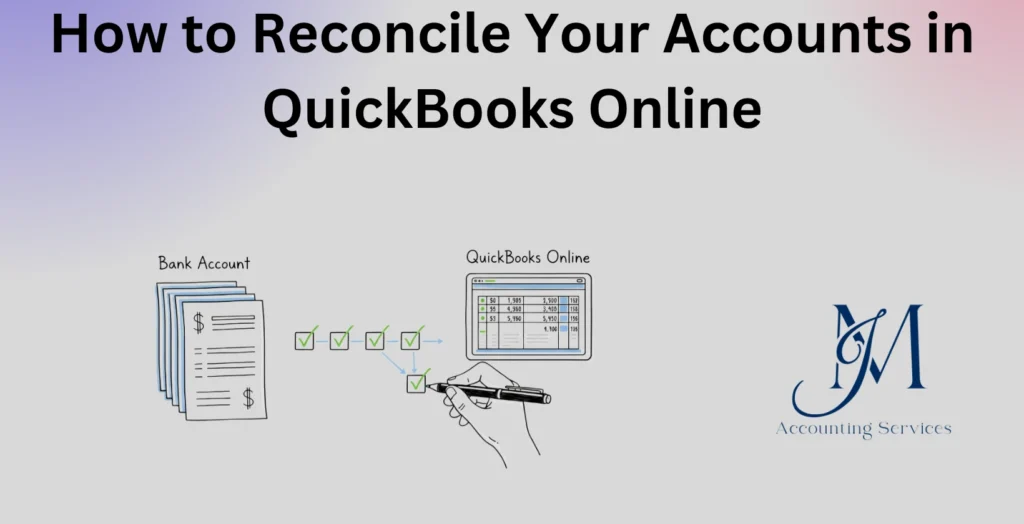
- The process involves selecting the account, entering statement details, and matching transactions until the difference between records and the statement is zero.
- Regular reconciliation helps identify errors such as missing, duplicate, or incorrect transactions, ensuring financial reports remain reliable and up to date.
- Failure to reconcile accounts can lead to discrepancies, inaccurate balances, and poor financial decision-making due to unreliable data.
JM Accounting Services provides a step-by-step guide to reconciling accounts in QuickBooks Online, helping businesses maintain accurate books and streamlined financial management.
How to Reconcile Your Accounts in QuickBooks Online
Reconciling accounts in QuickBooks Online is a critical accounting process that ensures financial records match external statements such as bank and credit card reports. This process helps businesses detect discrepancies, prevent fraud, and maintain reliable financial data for decision-making. Many companies, such as startups and e-commerce businesses, rely on reconciliation to track cash flow and ensure compliance with accounting standards. According to a QuickBooks Small Business Insights report, over 60% of small businesses that reconcile accounts monthly report fewer financial errors and improved reporting accuracy. This guide explains the meaning of reconciliation and why it plays a vital role in maintaining accurate financial records.
What Is Account Reconciliation in QuickBooks Online?
Account reconciliation in QuickBooks Online is the process of comparing internal financial records with external statements to ensure that all transactions match and are accurately recorded. This involves reviewing bank transactions, credit card entries, and other financial data to confirm that balances align at the end of a specific period. Businesses use this process to verify that deposits, withdrawals, fees, and adjustments are correctly entered into the system.
The reconciliation process includes several key elements. 1. Matching transactions between QuickBooks and bank statements ensures accuracy. 2. Identifying discrepancies such as missing entries or duplicate transactions highlights errors. 3. Adjusting records when necessary ensures that balances are correct. Many organizations, such as service-based firms and retail companies, perform reconciliation monthly to maintain consistent financial oversight.
Research from the CPA Journal indicates that regular reconciliation reduces financial reporting errors by up to 30%, particularly in small and mid-sized businesses. This process strengthens internal controls and provides a clear audit trail, which is essential for compliance and financial transparency.
Why Is Reconciling Accounts Important for Accurate Financial Records?
Reconciling accounts is important for accurate financial records because it ensures that all financial transactions are correctly recorded and aligned with actual account balances. This process helps businesses detect errors, prevent fraud, and maintain reliable financial statements that support informed decision-making.
Several factors highlight the importance of reconciliation. 1. Error detection identifies issues such as duplicate entries, missing transactions, and incorrect amounts. 2. Fraud prevention helps uncover unauthorized transactions early, reducing financial risk. 3. Financial accuracy ensures that reports such as balance sheets and income statements reflect true business performance. Many industries, such as healthcare providers and online retailers, depend on accurate reconciliation to meet regulatory and operational requirements.
Studies from accounting research institutions show that businesses performing monthly reconciliations experience up to 25% fewer audit adjustments compared to those that reconcile less frequently. Consistent reconciliation improves cash flow management and builds trust with stakeholders, including investors, lenders, and regulatory bodies.
What Accounts Can You Reconcile in QuickBooks Online?
The accounts that can be reconciled in QuickBooks Online include financial accounts that have external statements used for verification. These accounts typically involve cash flow and transactional activity that must align with third-party records such as bank or credit card statements.
The main types of accounts that can be reconciled include several categories. 1. Bank accounts, such as business checking and savings accounts, represent the most commonly reconciled accounts. 2. Credit card accounts, including corporate cards and expense cards, require reconciliation to track spending accurately. 3. Loan accounts, such as business loans and lines of credit, can be reconciled to confirm balances and interest charges. 4. PayPal and other payment processor accounts, such as Stripe and Square, are reconciled to ensure digital transactions match system records.
Industry data from Intuit indicates that over 70% of QuickBooks Online users regularly reconcile bank and credit card accounts to maintain accurate financial tracking. Businesses across sectors, such as consulting firms and e-commerce companies, rely on reconciling these accounts to monitor cash flow and ensure reliable reporting.
What Information Do You Need Before Reconciling in QuickBooks Online?
The information needed before reconciling in QuickBooks Online includes all financial documents and system data required to accurately match transactions. Proper preparation ensures a smooth reconciliation process and reduces the likelihood of discrepancies.
Several essential items are required before starting reconciliation. 1. Bank or credit card statements provide the official record of transactions for the selected period. 2. Beginning balance details ensure continuity from the previous reconciliation period. 3. Transaction records in QuickBooks, including deposits, expenses, and transfers, must be complete and up to date. 4. Statement ending balance and statement date are required to define the reconciliation period. 5. Supporting documents, such as receipts and invoices, help verify individual transactions when discrepancies arise.
Research from accounting software usability studies shows that businesses that prepare all required data in advance complete reconciliation tasks up to 40% faster. Many organizations, such as small enterprises and nonprofit entities, benefit from maintaining organized financial records before initiating reconciliation.
How to Reconcile Your Accounts in QuickBooks Online Step by Step?
The process to reconcile your accounts in QuickBooks Online step by step involves matching recorded transactions with external statements to confirm accuracy. This structured workflow ensures that account balances are correct and financial records are reliable.
The reconciliation process follows a clear sequence of actions. 1. Access the reconciliation tool by navigating to the Accounting menu and selecting the Reconcile option within QuickBooks Online. 2. Choose the account to reconcile, such as a bank or credit card account, then enter the statement ending balance and statement date. 3. Review and match transactions by comparing each entry in QuickBooks with the corresponding item on the statement. 4. Mark transactions as cleared once they match, ensuring that the difference displayed in the system moves toward zero. 5. Investigate any unmatched transactions and verify their accuracy using supporting documents. 6. Confirm the reconciliation once the difference reaches zero, then finalize the process to lock the period.
According to QuickBooks platform data, businesses that follow a structured reconciliation process reduce financial discrepancies by over 35%. Many companies, such as accounting firms and subscription-based businesses, integrate monthly reconciliation into their workflows to maintain consistent financial accuracy.
How Do You Fix Discrepancies During QuickBooks Reconciliation?
Fixing discrepancies during QuickBooks reconciliation involves identifying the root cause of mismatched transactions and correcting the records to achieve alignment with external statements. This process ensures that financial data remains accurate and trustworthy.
Several methods are used to resolve discrepancies effectively. 1. Review unmatched transactions to identify missing or duplicate entries within QuickBooks. 2. Verify transaction amounts and dates to ensure they match the bank or credit card statement. 3. Check for bank fees, interest charges, or automatic payments that may not have been recorded in the system. 4. Correct data entry errors by editing or deleting incorrect transactions where appropriate. 5. Add missing transactions that appear on the statement but are not recorded in QuickBooks. 6. Consult audit logs to track changes and identify when discrepancies were introduced.
Accounting research highlights that transaction mismatches are often caused by timing differences, data entry errors, or omitted entries. Businesses that implement systematic discrepancy resolution processes reduce reconciliation errors by up to 28%, improving the reliability of financial statements and internal controls.
How Often Should You Reconcile Accounts in QuickBooks Online?
The frequency to reconcile accounts in QuickBooks Online is typically monthly, since most financial institutions issue statements on a monthly cycle and this timing ensures accurate alignment of records. Regular reconciliation supports timely error detection and maintains consistent financial reporting.
Several reconciliation frequencies apply depending on business needs. 1. Monthly reconciliation is the standard approach for most businesses, such as service companies and retail stores, since it aligns with bank statements. 2. Weekly reconciliation is suitable for high-volume businesses, such as e-commerce platforms and restaurants, where frequent transactions increase the risk of discrepancies. 3. Daily reconciliation is used by larger organizations and financial institutions that require real-time financial monitoring. 4. Quarterly reconciliation may apply to low-activity accounts, though this approach increases the risk of delayed error detection.
Research from financial management studies shows that businesses performing monthly reconciliations reduce financial discrepancies by up to 30% compared to those reconciling less frequently. Consistent reconciliation improves cash flow tracking and strengthens internal controls, which supports better financial decision-making.
What Are Common Mistakes to Avoid When Reconciling in QuickBooks Online?
Common mistakes to avoid when reconciling in QuickBooks Online include errors that lead to inaccurate balances and unreliable financial records. Avoiding these mistakes ensures a smoother reconciliation process and reduces the need for corrections.
Several key mistakes frequently occur during reconciliation. 1. Entering incorrect beginning balances creates inconsistencies that affect the entire reconciliation process. 2. Skipping transactions leads to unmatched records and inaccurate financial statements. 3. Reconciling without reviewing supporting documents increases the risk of overlooking errors. 4. Duplicating transactions results in inflated account balances. 5. Ignoring bank fees and interest charges causes discrepancies between QuickBooks and actual statements. 6. Reconciling infrequently allows errors to accumulate, making them more difficult to identify and correct.
Accounting research indicates that data entry errors account for nearly 27% of reconciliation discrepancies in small businesses. Many organizations, such as consulting firms and subscription-based services, improve accuracy by implementing review procedures and maintaining consistent reconciliation schedules.
How Do You Undo or Edit a Reconciliation in QuickBooks Online?
Yes, you can undo or edit a reconciliation in QuickBooks Online, and the process involves reversing the reconciliation status of transactions and correcting any errors identified. This capability allows businesses to maintain accurate records even after completing a reconciliation.
The process to undo or edit a reconciliation depends on the situation. 1. Manual undo is performed by accessing the account register, locating reconciled transactions, and removing the reconciliation status by changing the “R” mark. 2. Accountant tools within QuickBooks Online allow full reconciliation reversal in a single action, which is commonly used by professional accountants. 3. Editing individual transactions involves correcting amounts, dates, or details before re-reconciling the account. 4. Reconciliation reports provide a reference point to identify which transactions require adjustment.
QuickBooks usage data shows that correction features are frequently used by businesses managing high transaction volumes, such as online retailers and financial service providers. Proper use of undo and edit functions ensures that financial records remain accurate and compliant with accounting standards.
How to Implement QuickBooks Reconciliation in Accounting Workflows?
Implementing QuickBooks reconciliation in accounting workflows involves integrating reconciliation tasks into routine financial processes to ensure consistent accuracy and control. A structured workflow ensures that reconciliation becomes a standard part of financial management rather than a reactive task.
Several steps define an effective implementation. 1. Establish a reconciliation schedule, such as monthly or weekly, based on transaction volume and business needs. 2. Assign responsibility to a qualified individual, such as an in-house accountant or external bookkeeper, to maintain accountability. 3. Standardize procedures by creating a checklist that includes reviewing statements, matching transactions, and verifying discrepancies. 4. Integrate reconciliation with other accounting processes, such as accounts payable and receivable, to ensure all financial data is aligned. 5. Use automation tools within QuickBooks Online, such as bank feeds and transaction rules, to reduce manual entry and improve efficiency. 6. Monitor performance through reconciliation reports to ensure consistency and accuracy over time.
Research from financial workflow studies shows that businesses with standardized accounting processes improve efficiency by up to 35% and reduce reconciliation errors significantly. Many organizations, such as SaaS companies and professional service firms, benefit from embedding reconciliation into their monthly financial close process.
What Are the Best Practices for Maintaining Accurate Reconciliations?
Best practices for maintaining accurate reconciliations focus on consistency, verification, and strong internal controls to ensure reliable financial records. Following these practices reduces errors and supports long-term financial accuracy.
Several best practices contribute to effective reconciliation. 1. Perform reconciliations regularly, such as monthly or weekly, to prevent the buildup of discrepancies. 2. Maintain organized financial records, including receipts, invoices, and statements, to support transaction verification. 3. Review all transactions carefully before marking them as cleared to ensure accuracy. 4. Separate duties where possible, assigning different individuals to record and review transactions to reduce the risk of fraud. 5. Utilize QuickBooks automation features, such as bank feeds, to minimize manual errors. 6. Generate and review reconciliation reports after each cycle to confirm that balances are accurate.
Studies published in accounting journals indicate that businesses following structured reconciliation practices experience up to 25% fewer financial reporting errors. Many industries, such as healthcare organizations and logistics companies, rely on these practices to maintain compliance and operational efficiency.
Where to Hire an Expert to Handle QuickBooks Reconciliation?
Hiring an expert to handle QuickBooks reconciliation involves engaging qualified professionals who specialize in bookkeeping and financial management to ensure accurate and efficient reconciliation processes. Skilled professionals can be found through JMAccountingServices, where experienced accountants provide tailored support for businesses of various sizes.
Several factors define the value of hiring an expert. 1. Professional expertise ensures accurate reconciliation and compliance with accounting standards. 2. Time savings allows business owners to focus on core operations rather than financial tasks. 3. Error reduction minimizes discrepancies and improves the reliability of financial reports. 4. Scalable services support growing businesses, such as startups and expanding enterprises, that require more advanced financial management.
Industry data shows that outsourcing bookkeeping functions can reduce operational costs by up to 30% while improving financial accuracy. Many businesses, such as small enterprises and online retailers, benefit from working with experienced professionals who streamline reconciliation and maintain consistent financial records.