Overview
- QuickBooks simplifies tax preparation by automatically organizing income, expenses, and financial records throughout the year, reducing last-minute stress during tax season.
- The platform tracks and categorizes deductible expenses, ensuring businesses capture all eligible tax deductions and maintain accurate records for compliance.
- Built-in tax reports and real-time financial data make it easy to generate the necessary documents for filing accurate and timely tax returns.
- Automation features, including tax calculations and integrations with tax software, reduce manual errors and streamline the entire filing process.
- JMAccountingServices provides practical guidance on using QuickBooks to simplify tax returns, helping businesses stay compliant, save time, and improve financial efficiency
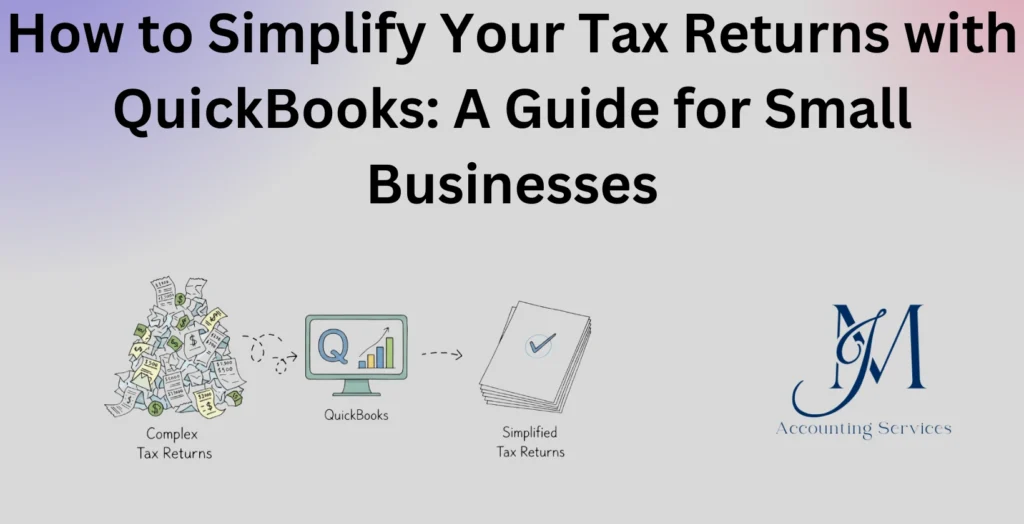
How to Simplify Your Tax Returns with QuickBooks: A Guide for Small Businesses
Managing tax returns presents a significant challenge for many small businesses, especially when financial records are scattered, deductions are overlooked, and compliance requirements become complex. QuickBooks provides a structured accounting system that centralizes financial data, automates calculations, and generates accurate reports, enabling businesses to streamline tax preparation. Research from Intuit indicates that small businesses using digital accounting tools reduce bookkeeping errors by up to 37% and save several hours per week on financial management tasks.
This guide explains how QuickBooks supports tax preparation, improves accuracy, and enhances compliance. It examines key features, practical implementation strategies, and the role of expert support in maximizing efficiency. Businesses, such as startups and e-commerce companies, benefit from consistent financial tracking and real-time insights, which contribute to better tax outcomes and reduced audit risks.
What Is QuickBooks Tax Preparation for Small Businesses?
QuickBooks tax preparation for small businesses is the process of organizing, tracking, and reporting financial data using QuickBooks software to ensure accurate and compliant tax filing. This system integrates income tracking, expense categorization, payroll data, and tax calculations into a unified platform, allowing businesses to maintain up-to-date financial records throughout the year.
QuickBooks enables businesses to automate essential tax-related tasks, including sales tax tracking, expense classification, and report generation. A study published in the Journal of Accountancy highlights that automated accounting systems improve reporting accuracy by over 30% compared to manual bookkeeping methods. Small businesses, such as service providers and retail stores, rely on these tools to reduce human error and maintain audit-ready records.
The platform supports various tax requirements by generating key financial documents, including profit and loss statements, balance sheets, and expense reports. These reports align with IRS standards and provide the necessary data for filing returns or working with tax professionals. Consistent recordkeeping strengthens compliance and reduces the likelihood of penalties.
QuickBooks tax preparation represents a proactive approach to financial management. Businesses that maintain organized records throughout the year experience smoother tax seasons, improved financial visibility, and stronger decision-making capabilities.
How Does QuickBooks Simplify Tax Returns for Small Businesses?
QuickBooks simplifies tax returns for small businesses by automating data entry, organizing financial transactions, and generating accurate tax-ready reports. The system reduces the need for manual calculations, ensuring that financial data remains consistent and reliable across all records.
Automation plays a central role in simplifying tax preparation. QuickBooks categorizes transactions in real time, which minimizes errors and ensures that income and expenses are properly recorded. Research from Intuit shows that businesses using automated bookkeeping tools reduce tax preparation time by up to 50%. Businesses, such as freelancers and consulting firms, benefit from automated expense tracking that captures deductible costs without manual intervention.
QuickBooks enhances accuracy through integrated reporting features. The software generates essential tax documents, including profit and loss statements and general ledgers, which provide a clear financial overview. These reports support accurate tax filings and reduce discrepancies that could trigger audits. Reliable reporting strengthens compliance and improves confidence during tax submission.
The platform improves efficiency by centralizing all financial data in one location. Business owners gain access to real-time insights, enabling them to monitor financial performance and prepare for tax obligations in advance. Organized data reduces last-minute stress and ensures that deadlines are met without complications.
QuickBooks supports compliance by aligning financial records with current tax regulations. Regular updates ensure that tax rates and reporting standards remain accurate, helping businesses avoid penalties. Businesses that leverage these features maintain consistent financial practices and achieve smoother tax filing processes.
What Features in QuickBooks Help Automate Tax Calculations and Reporting?
The features in QuickBooks that help automate tax calculations and reporting are built to reduce manual work, improve accuracy, and ensure compliance with tax requirements. The platform integrates multiple automation tools that streamline how financial data is captured, categorized, and converted into tax-ready reports.
QuickBooks uses automated expense categorization to assign transactions into appropriate accounts, which ensures that deductions and income are recorded correctly. Machine learning technology improves categorization accuracy over time, based on prior user behavior. A report by Intuit indicates that automated categorization reduces bookkeeping errors by approximately 30%, which directly improves tax reporting reliability.
The system includes automatic sales tax tracking and calculation, which applies the correct tax rates based on location and transaction type. This feature benefits businesses, such as online retailers and service providers, that operate across multiple jurisdictions with varying tax rules. Accurate tax rate application reduces compliance risks and prevents underpayment or overpayment.
QuickBooks provides real-time financial reporting tools that generate tax-ready documents, including profit and loss statements, expense summaries, and tax liability reports. These reports are continuously updated as transactions are recorded, ensuring that businesses maintain current financial visibility throughout the year.
The platform integrates with payroll systems to automate payroll tax calculations and filings. Payroll taxes, such as federal withholding and social security contributions, are calculated automatically, which eliminates manual errors and ensures timely compliance. Businesses that manage employees benefit from reduced administrative burden and improved accuracy in tax submissions.
How Do You Set Up QuickBooks for Accurate Tax Filing?
You set up QuickBooks for accurate tax filing by configuring company settings, organizing accounts, and ensuring proper transaction categorization from the start. A structured setup establishes a reliable foundation for accurate reporting and compliance.
The first step involves entering complete business information, including legal name, tax identification number, and industry classification. Accurate business details ensure that reports align with tax authority requirements and reduce discrepancies during filing.
The next step requires creating a well-structured chart of accounts that reflects the business’s financial activities. Accounts should be categorized clearly into income, expenses, assets, and liabilities. Businesses, such as construction firms and consulting agencies, benefit from customized account structures that align with their specific operations.
Transaction categorization must be standardized to ensure consistency across records. QuickBooks allows users to set rules that automatically assign categories to recurring transactions, which improves efficiency and reduces classification errors. Consistent categorization strengthens the accuracy of financial reports used for tax preparation.
Tax settings must be configured correctly, including sales tax rates and reporting preferences. Businesses operating in multiple regions must ensure that each jurisdiction’s tax rate is accurately applied. Proper tax configuration reduces compliance risks and ensures correct tax calculations.
Regular reconciliation of bank and credit card accounts ensures that all financial data matches actual transactions. Reconciliation identifies discrepancies early and maintains accurate records. A CPA Journal study emphasizes that regular reconciliation improves financial accuracy and reduces audit risks.
What Financial Reports in QuickBooks Are Essential for Tax Preparation?
The financial reports in QuickBooks that are essential for tax preparation provide a comprehensive view of income, expenses, and overall financial performance. These reports ensure that businesses have accurate data required for filing taxes and supporting compliance.
The profit and loss statement is a primary report that summarizes total income and expenses over a specific period. This report determines net profit or loss, which directly impacts taxable income. Businesses, such as restaurants and e-commerce stores, rely on this report to evaluate financial performance and prepare tax filings.
The balance sheet report provides a snapshot of a company’s financial position, including assets, liabilities, and equity. This report supports tax reporting by verifying the accuracy of financial records and ensuring that all obligations are properly recorded.
The expense report details all business expenditures, categorized by type. This report identifies deductible expenses, which reduce taxable income. Accurate expense tracking ensures that businesses claim all eligible deductions without errors.
The general ledger report records every financial transaction within the accounting system. This report serves as a detailed audit trail, which supports transparency and verification during tax preparation. Accountants and auditors use the general ledger to validate financial data and ensure compliance.
The sales tax liability report tracks collected sales tax and amounts owed to tax authorities. This report ensures that businesses meet their obligations and avoid penalties related to incorrect tax payments.
How Can QuickBooks Help Track Expenses, Deductions, and Income Efficiently?
QuickBooks helps track expenses, deductions, and income efficiently by automating transaction recording, organizing financial data, and providing real-time insights into business performance. The system ensures that financial records remain accurate and up to date throughout the year.
QuickBooks connects directly to bank accounts and credit cards, which allows automatic import of transactions. This feature eliminates manual data entry and ensures that all financial activities are captured accurately. Businesses, such as freelancers and small agencies, benefit from continuous transaction tracking that reduces administrative workload.
The platform categorizes expenses automatically, which ensures that deductible costs are properly recorded. Deductible expenses, such as office supplies and travel costs, are tracked in real time, making it easier to identify tax-saving opportunities. Accurate categorization increases the likelihood of maximizing deductions.
QuickBooks provides receipt capture functionality, which allows users to upload and store receipts digitally. This feature creates a documented record for each expense, which supports compliance and simplifies audits. Organized documentation strengthens the credibility of financial records.
The system offers real-time dashboards that display income, expenses, and profit margins. These insights enable businesses to monitor financial performance and prepare for tax obligations proactively. Timely visibility reduces surprises during tax season and supports better financial planning.
QuickBooks ensures consistency by maintaining a centralized database for all financial transactions. Consistent data storage improves reporting accuracy and reduces the risk of missing information. Businesses that use centralized systems achieve more efficient tax preparation and stronger compliance outcomes.
How to Implement QuickBooks in Accounting for Tax Efficiency?
You implement QuickBooks in accounting for tax efficiency by structuring financial workflows, automating transaction management, and aligning reporting with tax requirements from the beginning. A well-planned implementation ensures that financial data is accurate, organized, and optimized for tax savings.
The process begins with aligning the chart of accounts to reflect tax categories and deductible expense groups. Proper alignment ensures that income and expenses are classified in a way that supports tax reporting. Businesses, such as marketing agencies and construction companies, benefit from industry-specific account structures that capture relevant deductions.
Automation rules should be configured to categorize recurring transactions consistently. These rules reduce manual input and ensure uniform classification across all financial records. Consistency improves reporting accuracy and reduces discrepancies during tax preparation.
Integration with banking and payment systems enables real-time data synchronization. Connected accounts automatically import transactions, which ensures that financial records remain complete and up to date. A study by Intuit shows that businesses using integrated accounting systems reduce reconciliation time by over 40%.
Regular financial reviews improve tax efficiency by identifying trends, deductible expenses, and potential compliance issues. Monthly reviews allow businesses to adjust strategies before the tax period ends, which enhances overall financial control.
Tax-specific features, such as sales tax tracking and expense tagging, should be actively used to monitor obligations and deductions. Proper use of these tools ensures that businesses capture all eligible tax benefits while maintaining compliance.
How Does QuickBooks Ensure Compliance With Tax Regulations and Deadlines?
QuickBooks ensures compliance with tax regulations and deadlines by automating calculations, maintaining accurate records, and providing timely reminders for tax obligations. The system is designed to align financial processes with current regulatory standards, which reduces the risk of penalties and errors.
The software updates tax rates and rules automatically, ensuring that calculations reflect current regulations. Accurate updates are critical for businesses operating in multiple jurisdictions, where tax requirements vary significantly. Consistent updates reduce the risk of outdated calculations.
QuickBooks generates compliance-ready reports that meet tax authority standards. Reports, such as profit and loss statements and sales tax summaries, provide the necessary documentation for filing returns. These reports support transparency and reduce the likelihood of audits.
The platform includes deadline tracking and reminder features that notify users of upcoming tax obligations. Timely reminders help businesses avoid late filings and associated penalties. Businesses, such as startups and retail companies, benefit from structured timelines that improve compliance management.
Audit trails within QuickBooks record all financial activities, providing a detailed history of transactions and changes. This feature supports accountability and ensures that records can be verified during audits. The CPA Journal highlights that maintaining audit trails significantly improves compliance and reduces audit risks.
What Common Mistakes Should Small Businesses Avoid When Using QuickBooks for Taxes?
The common mistakes small businesses should avoid when using QuickBooks for taxes include poor setup, inconsistent categorization, and failure to reconcile accounts regularly. These errors reduce accuracy and increase the risk of compliance issues.
- Inaccurate chart of accounts setup leads to misclassification of income and expenses. Incorrect classification affects financial reports and results in inaccurate tax filings. Businesses must ensure that accounts are structured correctly from the start.
- Inconsistent transaction categorization creates discrepancies in financial records. Assigning different categories to similar transactions reduces reporting accuracy and complicates tax preparation. Consistency is essential for reliable data.
- Failure to reconcile accounts regularly results in unmatched transactions and missing data. Reconciliation ensures that recorded transactions match actual bank and credit card activity. Neglecting this process increases the risk of errors.
- Ignoring automation features limits efficiency and increases manual workload. Businesses that fail to use automation miss opportunities to reduce errors and save time. Automated tools improve both accuracy and productivity.
- Overlooking deductible expenses reduces potential tax savings. Many businesses fail to track all eligible deductions, which leads to higher tax liabilities. Proper expense tracking ensures that all deductions are captured.
- Delayed data entry creates incomplete records and increases stress during tax season. Real-time recording ensures that financial data remains current and accurate. Timely updates support better financial management.
Avoiding these mistakes improves the effectiveness of QuickBooks and ensures that businesses maintain accurate, compliant, and efficient tax processes.
How Much Does Using QuickBooks for Tax Preparation Cost?
The cost of using QuickBooks for tax preparation depends on the subscription plan, additional features, and the level of support required by the business. QuickBooks Online plans typically range from approximately $30 to $200 per month, depending on functionality such as payroll integration, inventory tracking, and advanced reporting.
Basic plans provide essential bookkeeping features, including income and expense tracking, invoicing, and standard financial reports. These plans suit small businesses, such as freelancers and sole proprietors, that require simple tax preparation tools. Mid-tier plans offer enhanced automation, multi-user access, and project tracking, which support growing businesses with more complex financial operations.
Additional costs arise from payroll services, which can range from $45 to $125 per month plus per-employee fees. Payroll integration ensures accurate calculation of employment taxes, which improves compliance and reduces administrative workload. Businesses with employees benefit from automated payroll tax filings and reporting.
Professional support costs vary based on the level of expertise required. Hiring an accountant or bookkeeper to manage QuickBooks can cost between $300 and $2,500 annually for small businesses, depending on transaction volume and complexity. A report by the National Small Business Association indicates that businesses investing in professional accounting support reduce tax errors by over 25%.
The overall cost remains cost-effective compared to manual bookkeeping or penalties from inaccurate filings. Businesses that leverage QuickBooks efficiently achieve time savings, improved accuracy, and better financial control, which outweigh the subscription and service costs.
Where to Hire an Expert to Handle QuickBooks Tax Preparation for Small Businesses?
An expert to handle QuickBooks tax preparation for small businesses can be hired through JMAccountingServices, where skilled professionals provide specialized bookkeeping and tax support tailored to business needs. These professionals offer expertise in QuickBooks setup, transaction management, tax reporting, and compliance.
JMAccountingServices provides access to experienced accountants who understand industry-specific requirements and tax regulations. Businesses, such as startups and e-commerce companies, benefit from customized solutions that align financial systems with operational goals. Expert guidance ensures that QuickBooks is configured correctly and used efficiently.
Hiring a professional improves accuracy by ensuring that financial data is properly categorized, reconciled, and reported. Professionals manage complex tasks, such as multi-jurisdiction tax compliance and advanced reporting, which reduces the risk of errors. According to the Journal of Accountancy, businesses that work with accounting professionals experience fewer compliance issues and improved financial outcomes.
Expert support saves time by handling bookkeeping tasks and tax preparation processes. Business owners can focus on core operations while professionals manage financial records and reporting. Delegating these responsibilities enhances productivity and reduces stress during tax season.
JMAccountingServices offers reliable and consistent support, which ensures that businesses maintain accurate records throughout the year. Continuous professional oversight strengthens compliance, improves financial visibility, and supports long-term growth.
How Can Small Businesses Maximize Tax Savings Using QuickBooks Insights?
Small businesses can maximize tax savings using QuickBooks insights by analyzing financial data, identifying deductible expenses, and making informed decisions based on real-time reports. The platform provides actionable insights that help businesses reduce taxable income and improve financial efficiency.
QuickBooks generates detailed expense reports that highlight spending patterns and deductible costs. Businesses can identify areas where expenses qualify for tax deductions, such as office supplies, travel, and marketing costs. Accurate tracking ensures that no eligible deduction is overlooked, which directly reduces tax liability.
The platform provides profit and loss insights that help businesses monitor profitability and adjust financial strategies. Reviewing these reports regularly allows businesses to identify trends and optimize spending. Businesses, such as consulting firms and online retailers, use these insights to manage cash flow and improve tax planning.
QuickBooks enables forecasting and budgeting tools that support proactive tax planning. Businesses can estimate future income and expenses, which allows them to plan for tax obligations in advance. Strategic planning reduces unexpected tax burdens and improves financial stability.
Real-time dashboards provide visibility into financial performance, which supports timely decision-making. Access to up-to-date data ensures that businesses can respond quickly to changes and implement tax-saving strategies throughout the year.
Integration with financial advisors and accountants enhances the value of QuickBooks insights. Professionals analyze data and recommend strategies that align with tax regulations and business goals. Businesses that combine software insights with expert advice achieve more effective tax optimization and long-term financial success.