
Overview
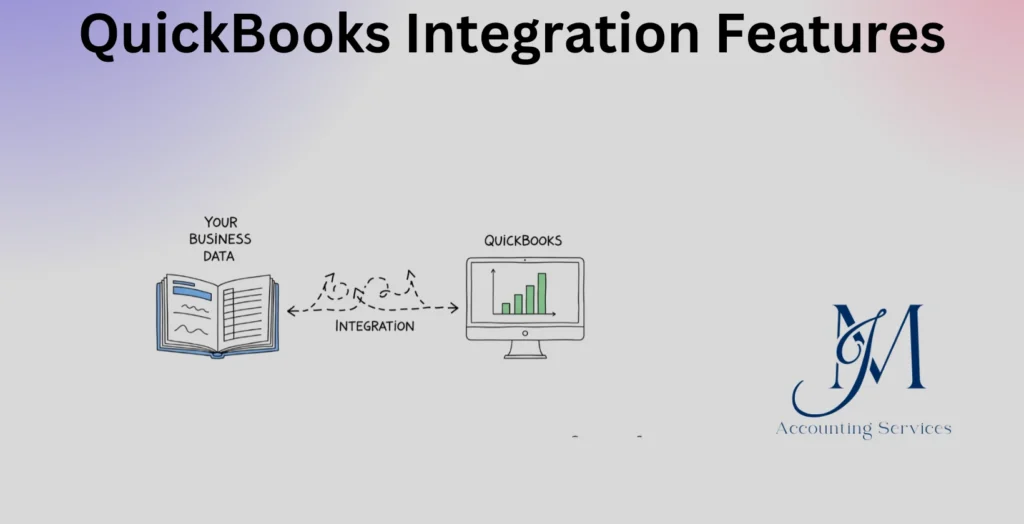
- QuickBooks integration enables seamless data synchronization between accounting systems and other business tools, reducing manual data entry and improving overall efficiency.
- Automated syncing of invoices, payments, and customer data ensures accuracy across platforms while minimizing errors and maintaining consistent financial records.
- Integrated systems provide real-time financial insights, helping businesses monitor cash flow, track expenses, and make informed decisions quickly.
- QuickBooks integrations support enhanced reporting and analytics, allowing businesses to generate reliable financial statements for better planning and compliance.
- JMAccountingServices offers tailored QuickBooks integration solutions that streamline workflows, improve accuracy, and optimize financial management for growing businesses.
QuickBooks Integration Features
QuickBooks integration features are essential tools that allow businesses to connect their accounting systems with other software platforms to streamline financial operations, reduce manual data entry, and improve reporting accuracy. Many companies, such as startups and e-commerce businesses, rely on these integrations to synchronize transactions, manage invoices, and track expenses in real time. Research from Intuit indicates that businesses using integrated accounting systems experience up to 37% faster financial processing and significantly fewer errors. This article explains what QuickBooks integration means in accounting systems and highlights the key features that make it valuable for modern businesses seeking efficiency, compliance, and scalability.
What Is QuickBooks Integration in Accounting Systems?
The definition of QuickBooks integration in accounting systems is the process of connecting QuickBooks software with other business applications to automate data sharing and financial workflows. This integration allows systems such as customer relationship management tools, payment processors, and inventory platforms to exchange data seamlessly with QuickBooks. Many companies, such as SaaS businesses and retail stores, use integrations to ensure that sales data, invoices, and expenses are automatically recorded without manual intervention.
QuickBooks integration operates through APIs and third-party connectors that enable real-time synchronization of financial data across platforms. A study published in the CPA Journal found that automated accounting integrations reduce bookkeeping errors by over 30% while improving reporting accuracy. Businesses benefit from centralized financial management since all data flows into a single accounting system, which improves decision-making and compliance with financial regulations.
The importance of QuickBooks integration lies in its ability to eliminate redundant tasks and improve operational efficiency. Businesses achieve faster reconciliations, improved audit trails, and better financial visibility. Organizations, such as logistics firms and service-based companies, use this integration to maintain consistent financial records across multiple systems while reducing administrative workload.
What Are the Key Features of QuickBooks Integrations for Businesses?
The key features of QuickBooks integrations for businesses are automation, real-time data synchronization, multi-platform connectivity, enhanced reporting, and secure data handling. These features allow companies to manage financial operations more efficiently while ensuring accuracy and compliance.
Automation is a primary feature that eliminates manual data entry by automatically recording transactions from connected platforms. Businesses, such as online retailers and subscription-based services, benefit from automated invoice generation and expense tracking. According to an Intuit QuickBooks survey, automation can reduce bookkeeping time by up to 50%, which allows teams to focus on strategic activities.
Real-time data synchronization ensures that financial information is updated instantly across all connected systems. This feature enables businesses to access up-to-date financial reports, which improves cash flow management and decision-making. Companies, such as digital agencies and manufacturing firms, rely on real-time updates to track revenue and expenses accurately.
Multi-platform connectivity allows QuickBooks to integrate with various tools, including payment gateways, payroll systems, and CRM platforms. This feature supports seamless operations across departments and ensures consistent data flow. Many organizations, such as healthcare providers and consulting firms, use integrations to connect multiple systems into a unified financial ecosystem.
Enhanced reporting capabilities provide detailed financial insights through customized reports and dashboards. Businesses gain access to metrics such as profit margins, cash flow trends, and expense breakdowns, which support informed decision-making. Research from X University highlights that businesses using integrated reporting tools improve financial forecasting accuracy by over 25%.
Secure data handling ensures that all financial data transferred between systems is protected באמצעות encryption and compliance protocols. This feature helps businesses maintain data integrity and meet regulatory requirements. Companies, such as fintech startups and multinational corporations, depend on secure integrations to protect sensitive financial information while maintaining trust with stakeholders.
How Do QuickBooks Integrations Improve Accounting Efficiency and Accuracy?
QuickBooks integrations improve accounting efficiency and accuracy by automating data entry, reducing human error, and ensuring consistent financial records across systems. Businesses, such as e-commerce companies and service providers, benefit from automated transaction recording, which eliminates repetitive manual tasks and reduces processing time. A report from Intuit shows that businesses using integrated accounting tools complete bookkeeping tasks up to 37% faster compared to manual systems.
Accuracy improves because integrations synchronize data directly from source systems, such as payment processors and invoicing tools, without manual input. This process reduces errors caused by duplicate entries, missed transactions, or incorrect figures. A CPA Journal study found that automated integrations can lower accounting discrepancies by more than 30%, which strengthens financial reporting reliability.
Efficiency increases through streamlined workflows and centralized financial management. Teams can access updated financial data in one platform, which reduces the need to switch between systems. Organizations, such as consulting firms and logistics companies, use integrations to accelerate reconciliations and improve audit readiness while maintaining consistent and reliable records.
Which Apps and Platforms Commonly Integrate With QuickBooks?
The apps and platforms that commonly integrate with QuickBooks include payment processors, e-commerce platforms, customer relationship management systems, payroll software, and inventory management tools. Businesses, such as online retailers and subscription services, frequently connect payment gateways like PayPal and Stripe to automatically record transactions and reconcile payments.
E-commerce platforms, such as Shopify and WooCommerce, integrate with QuickBooks to synchronize sales, taxes, and customer data. This integration ensures accurate revenue tracking and simplifies tax reporting. CRM systems, such as Salesforce and HubSpot, connect customer data with financial records, which improves invoicing and revenue forecasting.
Payroll systems, such as Gusto and ADP, integrate to manage employee wages, taxes, and benefits within QuickBooks. Inventory management tools, such as TradeGecko and Fishbowl, help businesses track stock levels and cost of goods sold. Research from Software Advice indicates that over 60% of small businesses use at least one third-party integration with their accounting software to improve operational efficiency.
How Does QuickBooks Integration Support Real-Time Financial Data Syncing?
QuickBooks integration supports real-time financial data syncing by continuously updating financial information across connected systems as transactions occur. This process ensures that sales, expenses, and payments are reflected instantly in the accounting system. Businesses, such as SaaS companies and retail stores, rely on real-time syncing to monitor cash flow and make timely financial decisions.
Real-time syncing operates through APIs that transfer data between platforms without delays. When a transaction occurs in a connected system, such as a payment gateway or invoicing tool, the data is automatically recorded in QuickBooks. This approach eliminates data lag and ensures that financial reports reflect current business performance.
The impact of real-time syncing includes improved financial visibility and faster decision-making. Companies can generate up-to-date reports, track revenue trends, and identify discrepancies immediately. A study by X University found that businesses using real-time financial systems improve decision-making speed by up to 25%, which enhances operational responsiveness and financial control.
What Are the Benefits of Automating Workflows Using QuickBooks Integrations?
The benefits of automating workflows using QuickBooks integrations are reduced administrative workload, improved consistency, faster processing, and enhanced scalability. Automation allows businesses to handle repetitive accounting tasks, such as invoicing, expense tracking, and bank reconciliations, without manual intervention. Many companies, such as startups and digital agencies, use automation to save time and allocate resources to growth-focused activities.
Consistency improves because automated workflows follow predefined rules, which ensures uniform data entry and reporting standards. This reduces discrepancies and supports compliance with financial regulations. Research from the Journal of Accountancy shows that automation can reduce processing errors by up to 40%, which strengthens financial accuracy.
Processing speed increases as transactions are recorded and reconciled instantly. Businesses can close books faster and generate reports without delays. Scalability becomes achievable since automated systems can handle increased transaction volumes without requiring additional staff. Organizations, such as manufacturing firms and global service providers, use automated integrations to support business expansion while maintaining efficient financial operations.
How Secure Are QuickBooks Integrations for Handling Financial Data?
Yes, QuickBooks integrations are secure for handling financial data when implemented with proper safeguards and compliance protocols. Security is maintained through encryption, authentication controls, and secure APIs that protect data during transmission and storage. Financial information, such as invoices and payment records, is encrypted using industry-standard protocols like SSL and TLS, which prevents unauthorized access during data exchange.
Access control mechanisms strengthen security by restricting system usage to authorized users only. Businesses, such as financial firms and healthcare providers, use role-based permissions and multi-factor authentication to ensure that sensitive data remains protected. Intuit reports that its platform follows strict compliance standards, including SOC 2 and GDPR-aligned practices, which reinforces trust and regulatory adherence.
Data integrity is preserved through audit trails and continuous monitoring systems that track all transactions and changes. This feature helps businesses detect anomalies and maintain transparency in financial reporting. A study published in the Journal of Cybersecurity indicates that organizations using encrypted accounting integrations reduce data breach risks by over 45%, which highlights the reliability of secure QuickBooks integrations.
How to Implement QuickBooks Integration in Accounting?
The process to implement QuickBooks integration in accounting involves selecting compatible tools, configuring integration settings, and testing data synchronization to ensure accuracy. Businesses begin by identifying the systems they want to connect, such as payment platforms, CRM tools, or inventory software, based on operational needs.
The next step involves using APIs or third-party connectors to establish the integration. Many platforms, such as e-commerce systems and payroll software, provide built-in integration options that simplify the setup process. Proper configuration ensures that data fields, such as invoices and expenses, align correctly between systems to prevent discrepancies.
Testing is essential to confirm that data flows accurately and consistently across platforms. Businesses should run trial transactions and verify reports before full deployment. According to a QuickBooks implementation report, companies that follow structured integration processes achieve up to 30% fewer post-implementation errors. Ongoing monitoring and periodic updates maintain system performance and ensure long-term reliability.
What Are the Common Challenges When Integrating QuickBooks With Other Systems?
The common challenges when integrating QuickBooks with other systems are data mismatches, compatibility issues, synchronization errors, and user adoption barriers. Data mismatches occur when fields between systems do not align properly, which leads to inaccurate financial records. Businesses, such as retail companies and service providers, often face this issue when integrating legacy systems with modern platforms.
Compatibility issues arise when certain applications do not support direct integration with QuickBooks or require custom development. This challenge increases implementation time and costs. Synchronization errors can occur due to unstable connections or incorrect configurations, which results in delayed or duplicate data entries.
User adoption barriers affect the effectiveness of integrations when employees are not familiar with the new system or workflows. Training and clear documentation improve adoption and reduce operational disruptions. Research from Deloitte shows that nearly 40% of digital transformation challenges stem from integration issues and user resistance, which highlights the importance of proper planning and support during implementation.
How Much Does QuickBooks Integration Cost for Small and Medium Businesses?
The cost of QuickBooks integration for small and medium businesses ranges from $50 to over $5,000 depending on complexity, tools used, and level of customization required. Basic integrations, such as connecting payment platforms or simple apps, typically cost between $50 and $300 per month through subscription-based connectors. Businesses, such as freelancers and small e-commerce stores, often use these low-cost solutions for standard automation needs.
Mid-level integrations, which involve CRM systems, payroll platforms, or inventory tools, can cost between $500 and $2,500 as a one-time setup fee, along with ongoing subscription charges. These integrations require configuration, testing, and alignment of financial data fields to ensure accuracy. A report from Software Advice indicates that over 60% of SMBs invest in mid-tier integrations to improve operational efficiency and reporting capabilities.
Advanced integrations, which include custom API development and multi-system synchronization, can exceed $5,000 due to technical complexity and specialized expertise. Businesses, such as manufacturing firms and SaaS companies, invest in these solutions to handle high transaction volumes and complex workflows. Long-term value is achieved through time savings, reduced errors, and improved financial visibility, which offsets the initial investment.
How Can Businesses Optimize Performance After Integrating QuickBooks?
Businesses can optimize performance after integrating QuickBooks by refining workflows, monitoring data accuracy, and leveraging advanced reporting tools. Workflow optimization ensures that automated processes align with business operations, which improves efficiency and reduces redundancies. Companies, such as consulting firms and online retailers, benefit from regularly reviewing integration settings to ensure smooth data flow.
Data accuracy improves through routine reconciliation and system audits. Businesses should verify that transactions are correctly synchronized and that no discrepancies exist between connected platforms. Research from the Journal of Accountancy shows that regular financial audits can improve reporting accuracy by up to 25%, which strengthens decision-making and compliance.
Performance increases when businesses utilize reporting and analytics features within QuickBooks. These tools provide insights into cash flow, profitability, and expense trends, which support strategic planning. Continuous system updates and staff training ensure that integrations remain effective as business needs evolve. Organizations, such as startups and growing enterprises, maintain high performance by adapting their integrations to changing operational demands.
Where to Hire an Expert to Handle QuickBooks Integration?
The best place to hire an expert to handle QuickBooks integration is through JMAccountingServices, where skilled professionals provide tailored accounting and integration solutions. These experts specialize in connecting QuickBooks with various business systems, ensuring accurate data synchronization and efficient workflow automation. Businesses, such as startups and established enterprises, rely on professional services to avoid costly errors and ensure smooth implementation.
JMAccountingServices offers expertise in integration setup, customization, troubleshooting, and ongoing support. Professionals assess business needs, configure integrations, and test systems to ensure optimal performance. This structured approach reduces implementation risks and ensures that financial data remains accurate and secure.
Hiring an expert improves efficiency, reduces integration errors, and ensures compliance with accounting standards. Businesses gain access to specialized knowledge and support, which allows them to focus on core operations while maintaining a reliable and scalable accounting system.