
Overview
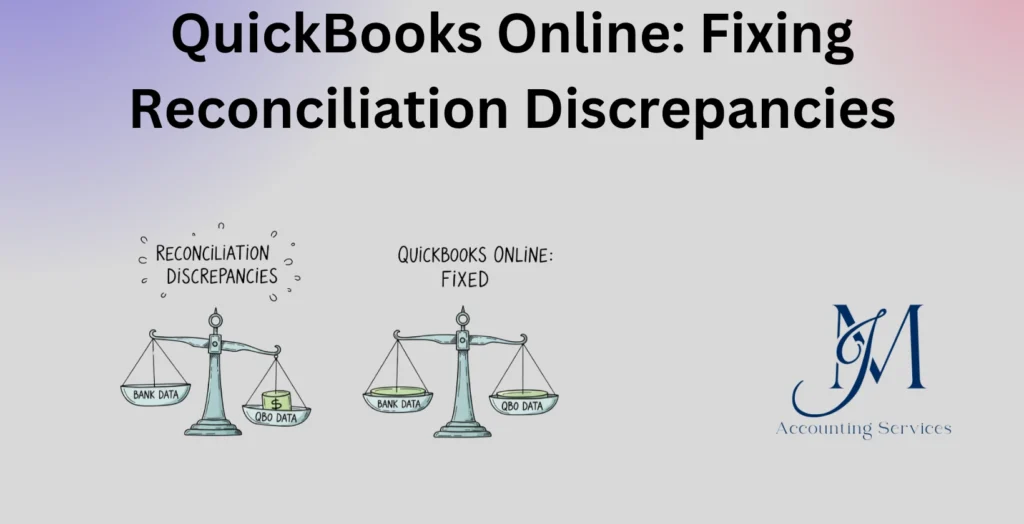
- Reconciliation discrepancies in QuickBooks Online occur when account balances do not match bank or credit card statements, often due to errors in previously reconciled transactions.
- Common causes include edited or deleted transactions, duplicate or missing entries, and incorrect opening or beginning balances.
- Fixing discrepancies involves reviewing reconciliation reports, checking the audit log, identifying changed transactions, and correcting or re-entering them before reconciling again.
- If discrepancies are ignored, they can result in unreliable financial reports, incorrect cash balances, and poor business decision-making.
- JM Accounting Services provides guidance on fixing reconciliation discrepancies in QuickBooks Online, helping businesses maintain accurate books and consistent financial records.
QuickBooks Online: Fixing Reconciliation Discrepancies
QuickBooks Online reconciliation discrepancies refer to differences between your recorded transactions and your bank or credit card statements. These discrepancies can disrupt financial accuracy, impact reporting, and lead to compliance risks when left unresolved. Businesses, such as startups and e-commerce companies, rely on accurate reconciliation to maintain clean financial records and ensure proper cash flow tracking. Industry data from Intuit indicates that small businesses that reconcile accounts monthly reduce financial errors by up to 70%. This article explains what reconciliation discrepancies are and why they occur, providing a clear foundation for identifying and resolving them effectively.
What Are QuickBooks Online Reconciliation Discrepancies?
QuickBooks Online reconciliation discrepancies are differences between the ending balance in QuickBooks and the balance shown on a bank or credit card statement. These discrepancies arise when transactions recorded in the system do not match the financial institution’s records in timing, amount, or classification. Common discrepancies include missing transactions, duplicated entries, and altered reconciled data.
Reconciliation discrepancies affect financial reporting accuracy and can distort key metrics, such as net income and cash position. Many businesses, such as retail stores and service providers, depend on reconciliation to confirm that all income and expenses are properly recorded. According to a CPA Journal study, reconciliation errors account for nearly 30% of financial reporting inconsistencies in small businesses.
Accurate reconciliation ensures that financial statements reflect true business performance. Businesses that maintain consistent reconciliation practices can detect fraud, prevent accounting misstatements, and support audit readiness. Clear identification of discrepancies allows accountants to trace errors back to their source and correct them systematically.
Why Do Reconciliation Discrepancies Occur in QuickBooks Online?
Reconciliation discrepancies occur in QuickBooks Online due to errors in data entry, transaction timing differences, and changes made after reconciliation. These issues disrupt the alignment between recorded transactions and bank statement balances.
Several key causes contribute to discrepancies. 1. Manual entry errors occur when transaction amounts or dates are entered incorrectly. 2. Deleted or modified transactions create mismatches after a reconciliation has already been completed. 3. Duplicate entries inflate balances and lead to inconsistencies. 4. Bank feed delays cause timing differences between recorded and cleared transactions. 5. Incorrect opening balances distort the reconciliation starting point.
Research from Intuit shows that nearly 40% of reconciliation issues stem from post-reconciliation edits, while data entry mistakes account for a significant portion of discrepancies among small businesses. Businesses, such as freelancers and consulting firms, frequently encounter these issues due to high volumes of manual entries.
Strong internal controls reduce reconciliation discrepancies. Regular reviews, restricted editing permissions, and consistent reconciliation schedules improve accuracy and minimize errors. Understanding the root causes enables businesses to implement corrective measures and maintain reliable financial records.
How Can You Identify Reconciliation Errors in QuickBooks Online?
Reconciliation errors in QuickBooks Online can be identified by comparing account balances, reviewing reconciliation reports, and analyzing transaction-level discrepancies. The process begins with checking whether the ending balance in QuickBooks matches the bank statement balance for the same period. A mismatch indicates the presence of an error that requires investigation.
Several methods help pinpoint reconciliation errors. 1. Reviewing the Reconciliation Report highlights previously reconciled transactions and detects changes or deletions. 2. Running the Transaction Detail Report allows comparison of cleared and uncleared entries. 3. Checking the Audit Log reveals edits made after reconciliation, including deleted or modified transactions. 4. Comparing bank feeds with recorded entries helps identify missing or duplicated transactions.
Industry data from Intuit shows that businesses that use reconciliation reports monthly identify discrepancies 60% faster than those relying on manual checks. Many organizations, such as SaaS companies and retail businesses, depend on these tools to maintain financial accuracy. Early identification ensures that discrepancies do not compound over time, which preserves the integrity of financial statements.
What Are the Most Common Causes of Bank Reconciliation Differences?
The most common causes of bank reconciliation differences are data entry errors, timing differences, duplicate transactions, and post-reconciliation changes. These factors create inconsistencies between recorded transactions and bank statement balances.
Several causes frequently appear in accounting systems. 1. Incorrect transaction amounts or dates result from manual entry mistakes. 2. Outstanding checks and deposits in transit create timing gaps between recorded and cleared transactions. 3. Duplicate entries inflate account balances and distort reconciliation results. 4. Deleted or edited reconciled transactions break previously matched records. 5. Bank fees or interest income not recorded in QuickBooks lead to missing entries.
Research from the CPA Journal indicates that transaction timing differences account for nearly 25% of reconciliation issues, while manual errors contribute to over 35% of discrepancies in small businesses. Many companies, such as consulting firms and online retailers, experience these challenges due to frequent transaction activity. Understanding these causes enables businesses to implement controls that reduce reconciliation errors and improve financial accuracy.
How Do You Fix Reconciliation Discrepancies in QuickBooks Online Step by Step?
Fixing reconciliation discrepancies in QuickBooks Online requires a structured process that identifies errors, corrects transactions, and verifies balances. The process ensures that financial records align with bank statements and remain accurate.
A step-by-step approach improves efficiency and accuracy. 1. Review the Reconciliation Discrepancy Report to identify transactions that have changed since the last reconciliation. 2. Check the Audit Log to locate deleted or modified entries and restore them where necessary. 3. Compare each transaction in QuickBooks with the bank statement to detect missing or duplicated entries. 4. Correct incorrect amounts, dates, or account classifications directly within the system. 5. Record missing transactions, such as bank charges or interest income, to ensure completeness. 6. Reconcile the account again to confirm that the ending balance matches the bank statement.
According to Intuit, businesses that follow a structured reconciliation correction process reduce recurring discrepancies by up to 50%. Many organizations, such as manufacturing firms and service providers, rely on this method to maintain consistent financial reporting. A disciplined approach ensures that discrepancies are resolved accurately and prevents future errors from occurring.
How Do You Undo or Reconcile Transactions Again in QuickBooks Online?
Undoing or reconciling transactions again in QuickBooks Online involves removing the reconciliation status and reprocessing the account to correct errors. This process restores flexibility when discrepancies arise after a reconciliation has been completed.
The process includes several key actions. 1. Access the Chart of Accounts and locate the account that requires correction. 2. Open the account register and identify transactions marked as reconciled with an “R” status. 3. Change the status from “R” to blank or “C” to remove the reconciliation designation. 4. Save the changes to update the transaction record. 5. Restart the reconciliation process using the correct bank statement details.
Yes, QuickBooks Online allows users to undo reconciliations, though access may depend on user permissions or accountant tools. This functionality enables businesses to correct errors without compromising data integrity. Many companies, such as startups and agencies, use this feature to maintain accurate financial records after identifying discrepancies.
Re-reconciling transactions ensures that corrected data aligns with actual bank activity. Consistent review and proper handling of reconciliations strengthen financial accuracy and support reliable reporting.
How to Implement Reconciliation Discrepancy Fixes in Accounting Systems?
Implementing reconciliation discrepancy fixes in accounting systems requires establishing structured workflows, enforcing internal controls, and standardizing reconciliation procedures across all financial accounts. A consistent implementation ensures that discrepancies are corrected systematically and do not recur in future accounting cycles.
Several key steps support effective implementation. 1. Establish a monthly reconciliation schedule to ensure timely detection and correction of discrepancies. 2. Create standardized reconciliation procedures that define how transactions are reviewed, matched, and corrected. 3. Restrict user permissions to prevent unauthorized edits to reconciled transactions. 4. Maintain a clear audit trail to track all changes made within the accounting system. 5. Train accounting staff on reconciliation best practices and error identification techniques.
Research from the American Institute of CPAs shows that companies with formal reconciliation policies reduce financial reporting errors by over 45%. Many organizations, such as logistics firms and healthcare providers, implement these controls to maintain compliance and ensure accurate reporting. Strong implementation aligns accounting processes with industry standards and improves financial transparency across the organization.
What Reports Help Detect and Resolve Reconciliation Issues in QuickBooks Online?
Reports that help detect and resolve reconciliation issues in QuickBooks Online include reconciliation reports, discrepancy reports, transaction detail reports, and audit logs. These reports provide visibility into transaction changes, unmatched entries, and inconsistencies that affect account balances.
Several reports play a critical role in reconciliation accuracy. 1. The Reconciliation Report summarizes cleared transactions and highlights any changes made after reconciliation. 2. The Reconciliation Discrepancy Report identifies transactions that have been altered, deleted, or added since the last reconciliation. 3. The Transaction Detail Report provides a comprehensive view of all account activity, which helps detect missing or duplicated entries. 4. The Audit Log tracks user activity and reveals modifications that may have caused discrepancies.
According to Intuit, businesses that regularly review reconciliation-related reports improve error detection rates by up to 65%. Many companies, such as construction firms and e-commerce businesses, rely on these reports to maintain accurate financial records. Consistent use of reporting tools ensures that discrepancies are identified quickly and resolved with precision.
How Can You Prevent Future Reconciliation Discrepancies in QuickBooks Online?
Preventing future reconciliation discrepancies in QuickBooks Online requires consistent processes, strong internal controls, and proactive monitoring of financial transactions. Prevention strategies reduce the likelihood of errors and maintain alignment between recorded data and bank statements.
Several preventive measures strengthen reconciliation accuracy. 1. Reconcile accounts on a regular schedule, such as monthly or weekly, to detect issues early. 2. Avoid editing or deleting reconciled transactions unless absolutely necessary to preserve data integrity. 3. Automate bank feeds to reduce manual entry errors and improve transaction accuracy. 4. Record all bank fees, interest, and adjustments promptly to ensure completeness. 5. Conduct periodic reviews of financial records to identify anomalies before they escalate.
A QuickBooks user survey found that businesses using automated bank feeds and regular reconciliation practices reduce discrepancies by over 50%. Many organizations, such as startups and professional service firms, adopt these strategies to maintain clean financial records. Strong preventive controls ensure reliable reporting, support compliance, and improve overall financial management.
What Are the Best Practices for Accurate Bank Reconciliation in QuickBooks Online?
The best practices for accurate bank reconciliation in QuickBooks Online are structured processes, consistent review routines, and strict control over financial data. These practices ensure that recorded transactions align with bank statements and support reliable financial reporting.
Several best practices improve reconciliation accuracy. 1. Reconcile accounts regularly, such as monthly or weekly, to detect discrepancies early. 2. Use bank feeds to automate transaction imports and reduce manual entry errors. 3. Verify opening balances before starting each reconciliation to ensure a correct baseline. 4. Match transactions carefully by checking amounts, dates, and payees for consistency. 5. Avoid editing reconciled transactions to maintain data integrity. 6. Review reconciliation reports after each cycle to confirm accuracy and identify anomalies.
Research from Intuit indicates that businesses following consistent reconciliation practices improve financial accuracy by over 60%. Many organizations, such as accounting firms and retail businesses, rely on these methods to maintain clean books and ensure compliance. Strong adherence to best practices supports audit readiness and enhances decision-making based on accurate financial data.
When Should You Consult a Professional for Reconciliation Problems?
You should consult a professional for reconciliation problems when discrepancies persist, financial records become inconsistent, or internal resources cannot resolve errors efficiently. Professional intervention ensures accurate correction and prevents further complications in financial reporting.
Several situations indicate the need for expert assistance. 1. Reconciliation discrepancies remain unresolved after multiple review attempts. 2. Large or unexplained differences appear between QuickBooks balances and bank statements. 3. Transactions have been deleted or altered without clear documentation. 4. Financial reports, such as profit and loss statements, show inconsistencies. 5. The business is preparing for an audit or regulatory review.
A study by the Journal of Accountancy shows that businesses engaging professional accountants reduce reconciliation errors by nearly 55% compared to those handling complex discrepancies internally. Many companies, such as growing startups and multi-location businesses, require expert support to maintain accurate records. Consulting a professional ensures that discrepancies are resolved correctly and that financial systems remain compliant and reliable.
Where to Hire an Expert to Handle QuickBooks Online Reconciliation Discrepancies?
An expert to handle QuickBooks Online reconciliation discrepancies can be hired through JMAccountingServices, where skilled professionals provide specialized bookkeeping and reconciliation support. These experts understand QuickBooks systems, financial controls, and reconciliation processes, which ensures accurate resolution of discrepancies.
JMAccountingServices offers access to experienced accountants who can identify errors, correct discrepancies, and implement preventive controls. Many businesses, such as e-commerce companies and service-based firms, rely on professional bookkeeping services to maintain accurate financial records and streamline operations.
Hiring an expert improves efficiency, reduces financial risk, and ensures compliance with accounting standards. Professional support allows business owners to focus on core operations while maintaining confidence in the accuracy of their financial data.